Officine Bitcoin Bitcoin-only lesson This project is maintained by valerio-vaccaro
🌍 Traduzioni
🇨🇳 中文 🇬🇧 English 🇪🇸 Español 🇵🇹 Português 🇷🇺 Русский 🇫🇷 Français 🇩🇪 Deutsch 🇮🇹 Italiano 🇭🇺 Magyar 🏳️ Milanés 🏳️ Veneto
 Verifying cryptographic signatures is a fundamental security practice that every open-source software user should include in their good habits routine.
Open source is by nature modifiable, which means that anyone can, in theory, introduce backdoors, attacks, or malicious code into the applications you use to practice while learning the Bitcoin protocol.
As a user who is deepening their study, you have the opportunity to personally verify whether the downloaded software has been tampered with, and you should do so before installing and using it.
Before we begin, we’re also bringing a classic from presentations to Officine Bitcoin: the meme. It won’t be a heavy presentation, but let’s decompress the atmosphere right from the start.
How to do it?
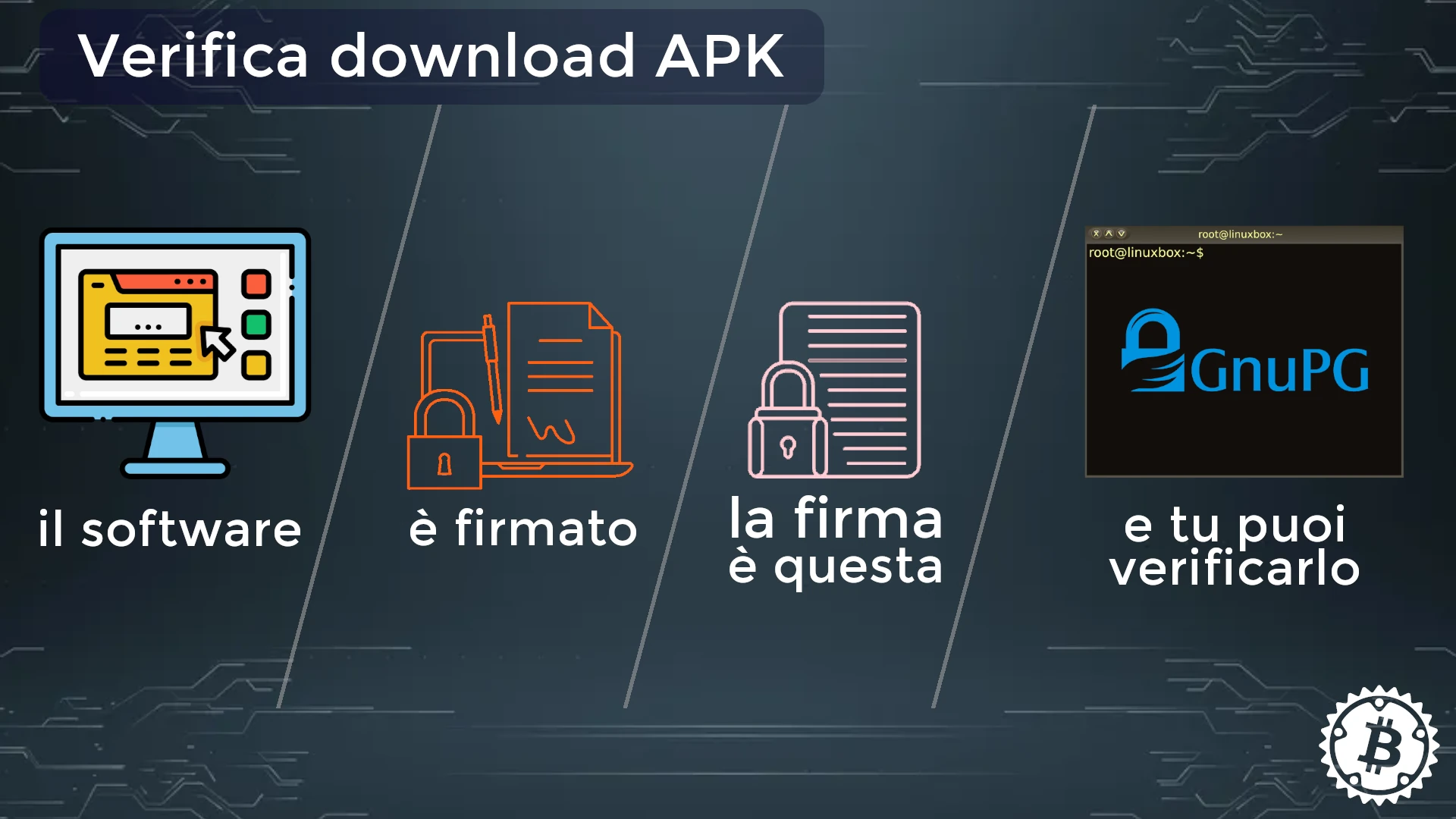
Developers always release new software versions accompanied by a cryptographic signature. This means that—in addition to having updated the software—they release it certifying that they have bound it to a specific fingerprint. Reminder: the digital signature produced with the private key is unique and unmodifiable.
All you need is the GPG suite to proceed with signature verification.
Prerequisites for this tutorial
- A brief review of asymmetric cryptography
- The elements to verify:
- software (binary, apk, etc.)
- the developer’s digital signature, usually a
.asc,.sigfile or a checksum.
- The tools for verification:
- GPG suite
- a terminal (works for both Linux and Windows)
Asymmetric cryptography
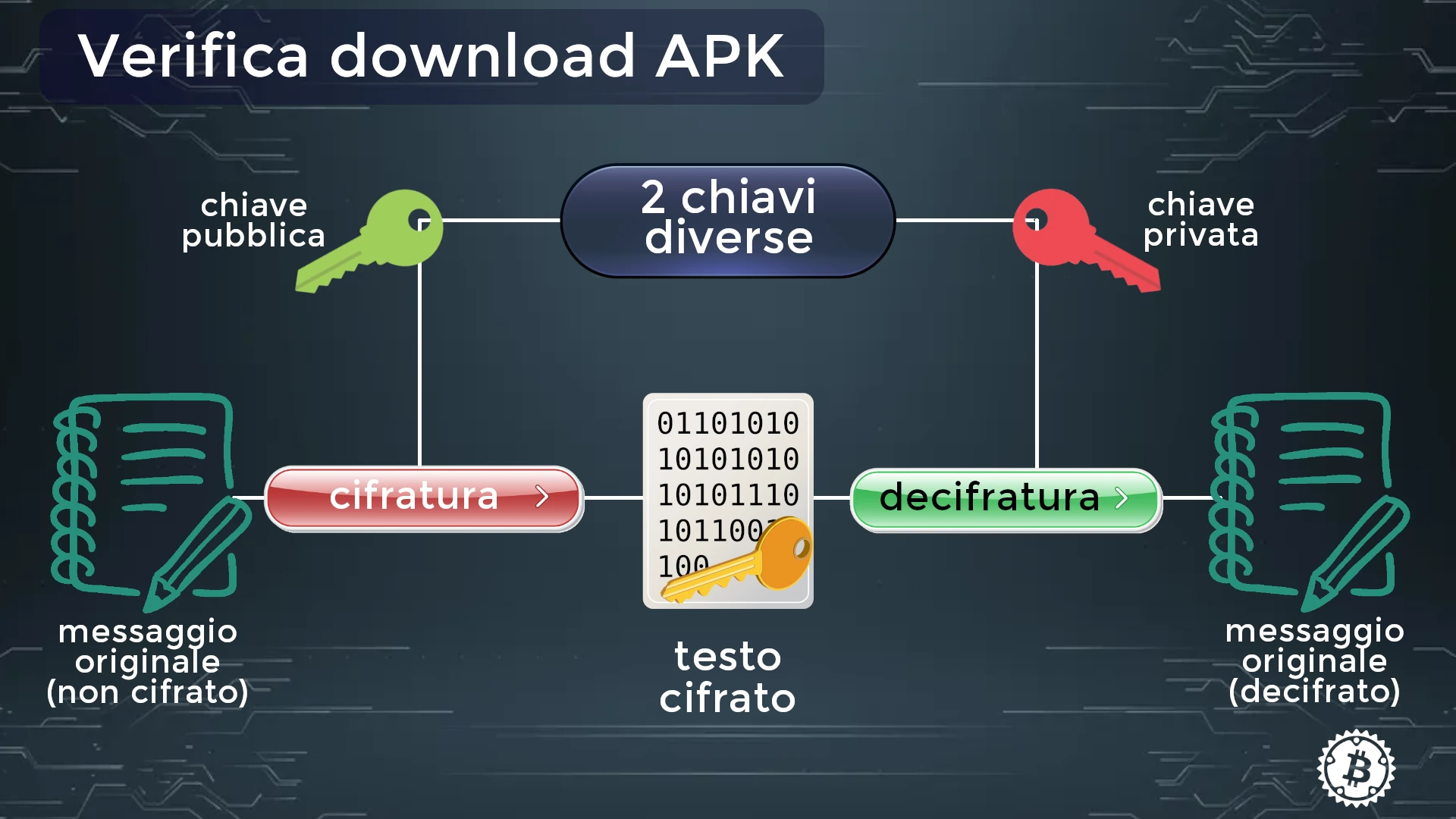
Here there are two keys related to each other: a public key and a private one. As the names suggest:
- The public key is freely available and can be shared with anyone.
- The private key is kept safe by its owner.
Data encrypted with the public key can only be decrypted by the corresponding private key. This allows anyone to send encrypted data to the owner of the key pair, without prior sharing of the secret part.
Public key cryptography is slower than symmetric cryptography and is not suitable for encrypting large amounts of data. However, it allows secure distribution of encryption keys. Some commonly used algorithms for public key cryptography include RSA, ECC, ElGamal, and DSA.
Developer side: new update
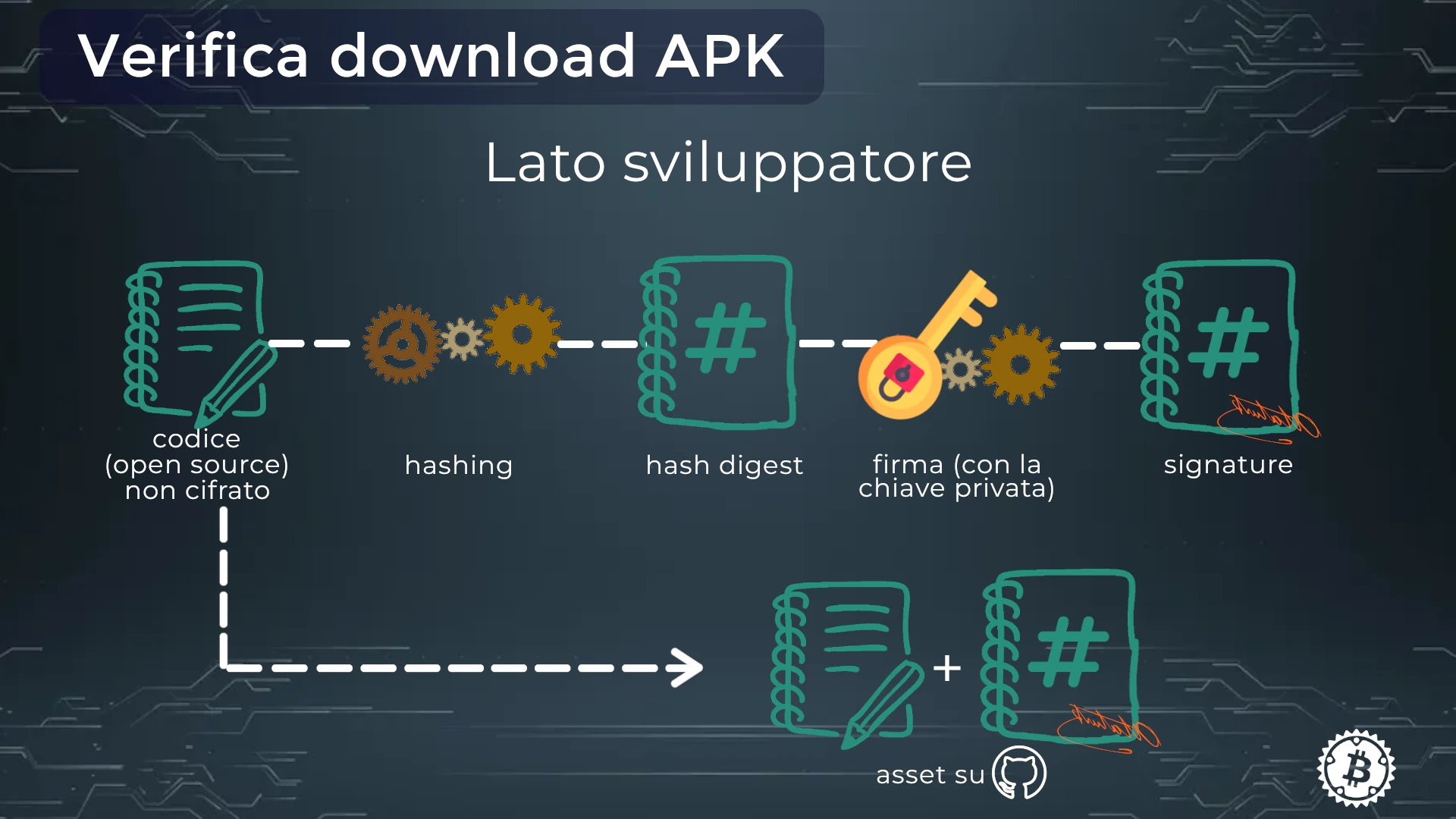
The developer releases the open source code, which by nature is not encrypted.
They create a cryptographic hash (which generates the checksum) and encrypt the digest with their private key: this creates the signature, that .sig or .asc file mentioned earlier.
After this process, the developer uploads both files to the site or a GitHub repository. That’s where your download begins.
Then you’ll need the developer’s public key. Sometimes it’s in the GitHub repository, sometimes on public servers (keyservers). Even if the search may require effort, the public key is an essential element for verifying the software, so make an effort to obtain it.
If you have difficulties, ask questions on the Officine Bitcoin Telegram group, where you’ll find instructions for obtaining a specific public key.
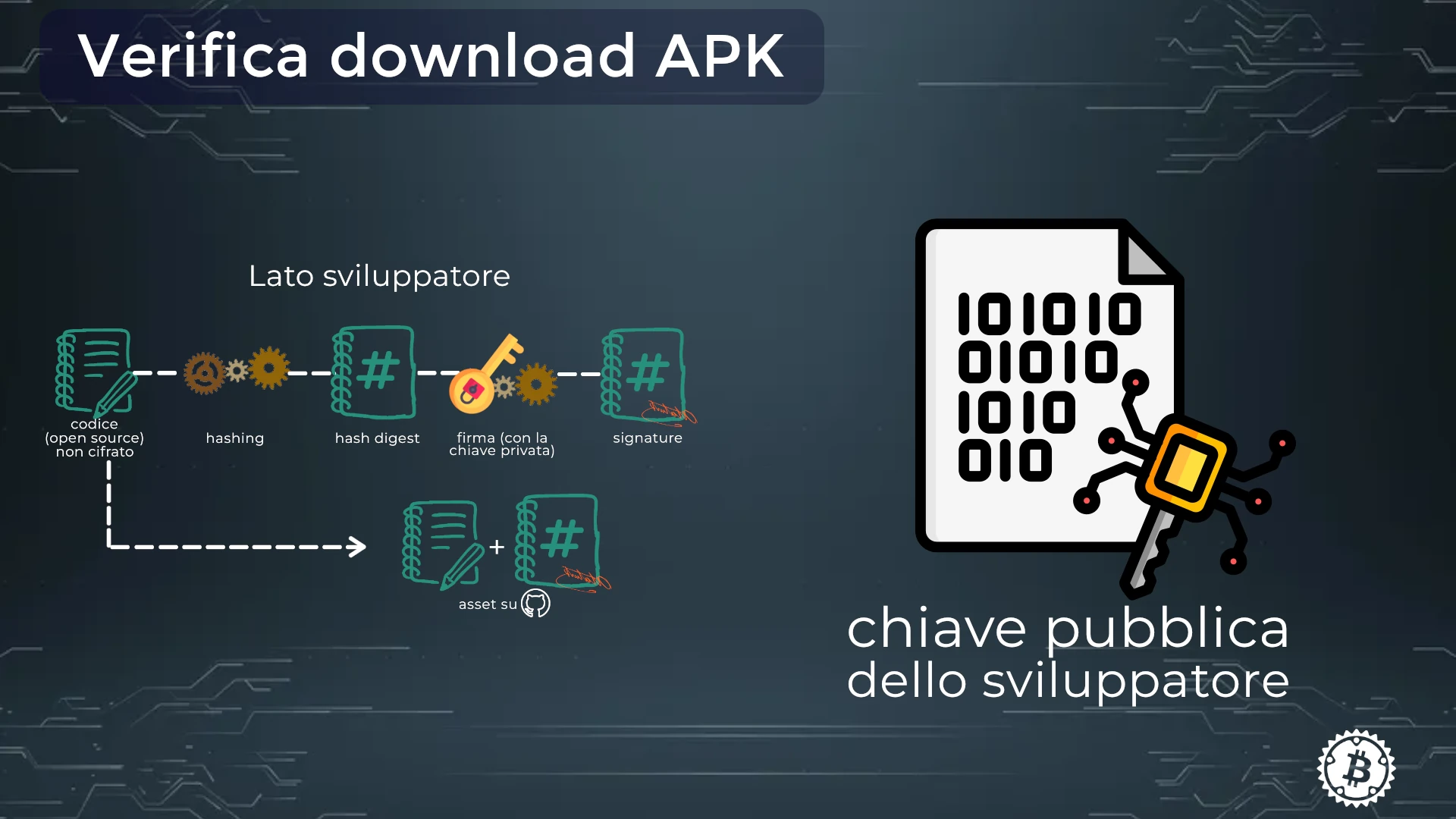
To verify data integrity, the recipient decrypts the signature using the sender’s public key, obtaining a result:
a. the data is considered authentic and unmodified during transit. b. the data has potentially been tampered with.
By encrypting the hash value with the private key, PGP signatures guarantee that the checksum itself is protected and linked to the sender’s identity. This prevents signature forgery on altered data.
Signatures can be used to verify anything: files, emails, documents, and software downloads. When checking a PGP signature, you prove that the data actually comes from a trusted source and is intact.
And it’s the verification of a mobile apk that you’ll be able to verify now.
We use as an example the download of Phoenix, a non-custodial LN wallet, so we can cover it specifically at a future Officine Bitcoin evening.
Download and verify Phoenix Wallet (Acinq)
If you’ve already been on Acinq’s site, Phoenix’s developer, you already know that the download is available on official stores for Android and iOS. Maybe you never noticed, but for Android the apk file is also available.
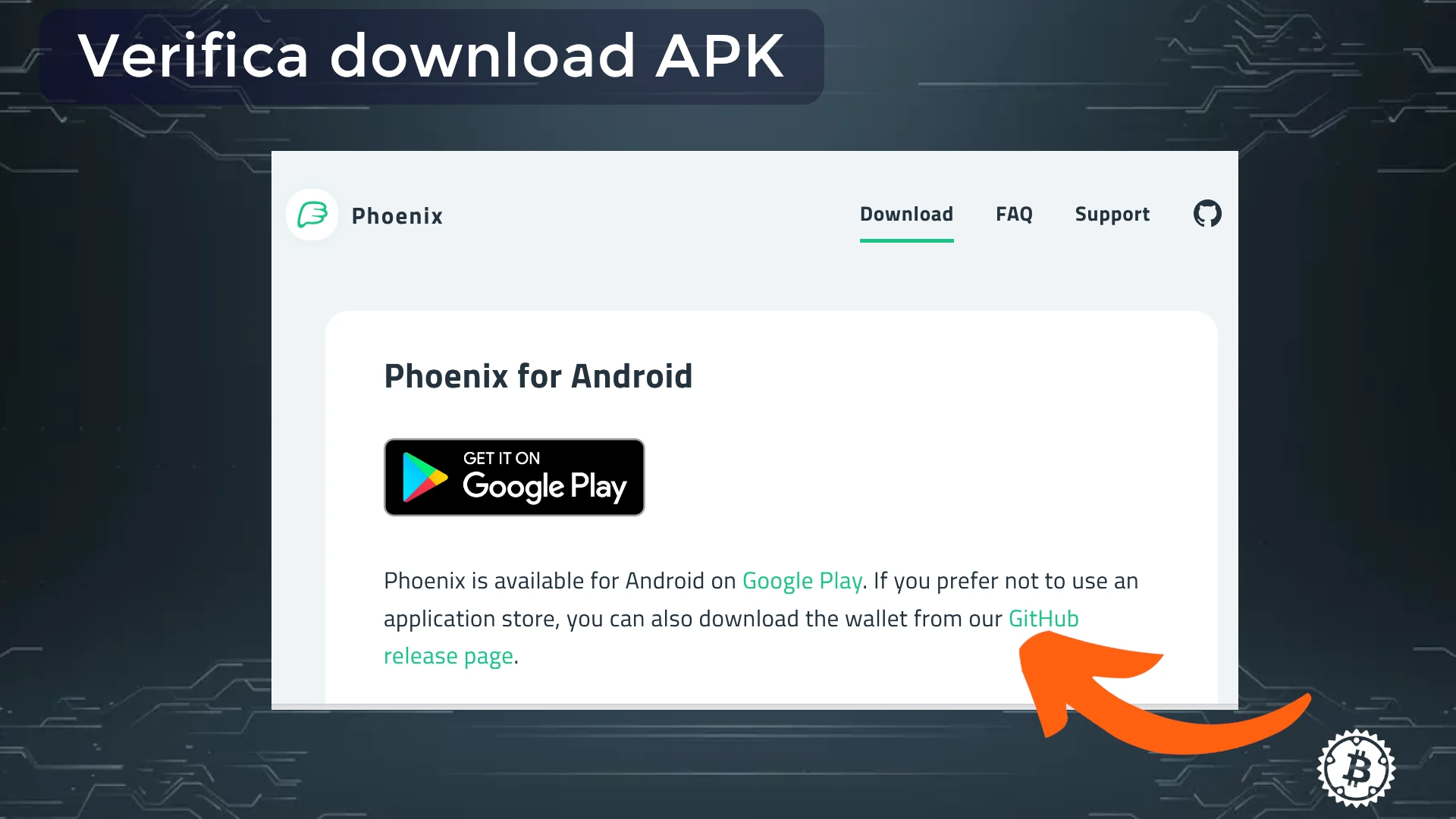
Let’s go there! to find the apk and Signature files that you’ll download with wget.
In Phoenix’s case, the file containing the signature for verification is named SHA256SUMS.ASC.
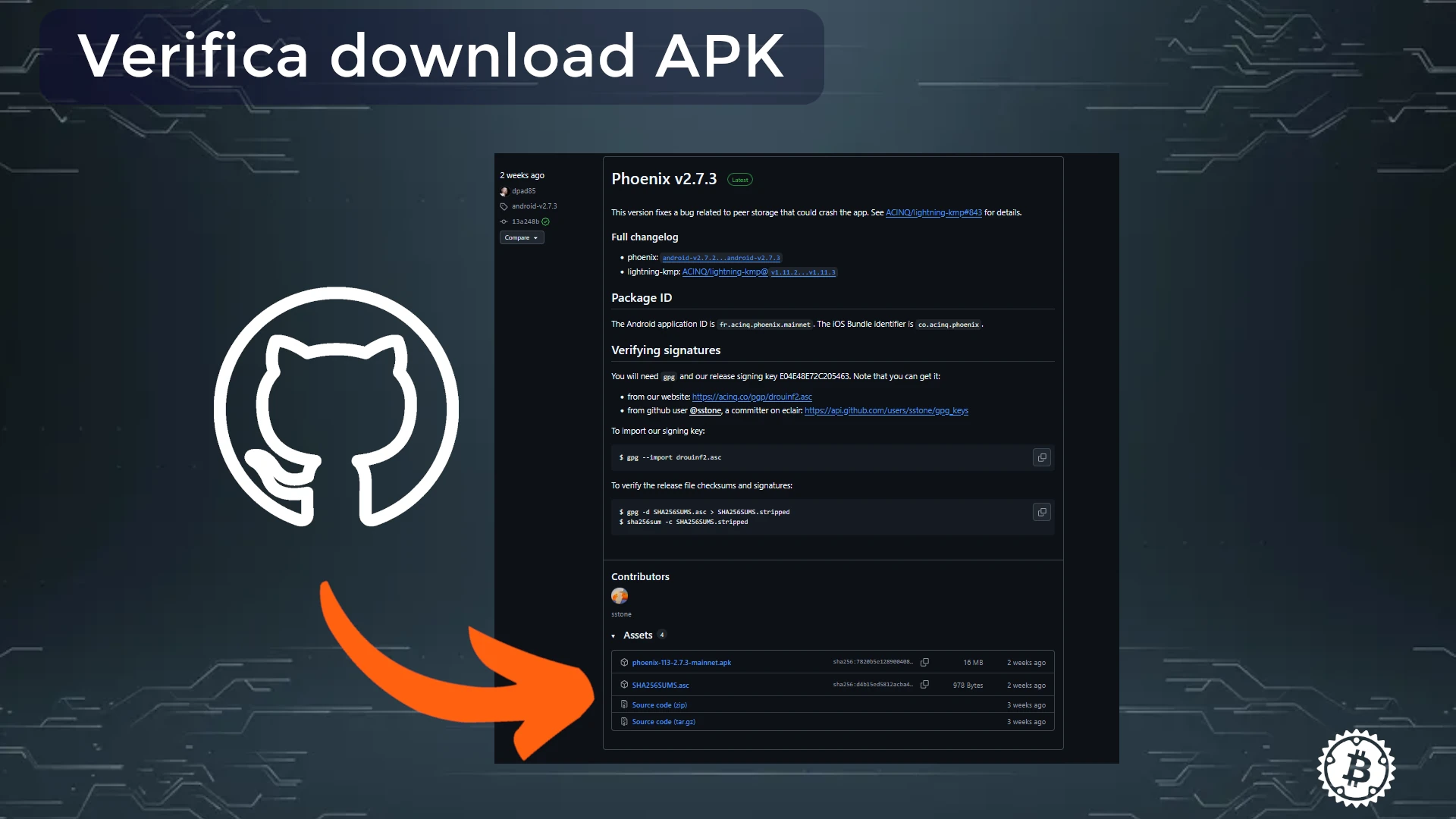
In the same repository there are also instructions for downloading the public key corresponding to the signing key E04E48E72C205463 (unique fingerprint of Drouinf’s keys).
Copy the link and download it with wget, or follow the instructions suggested in the appropriate section of the repo.
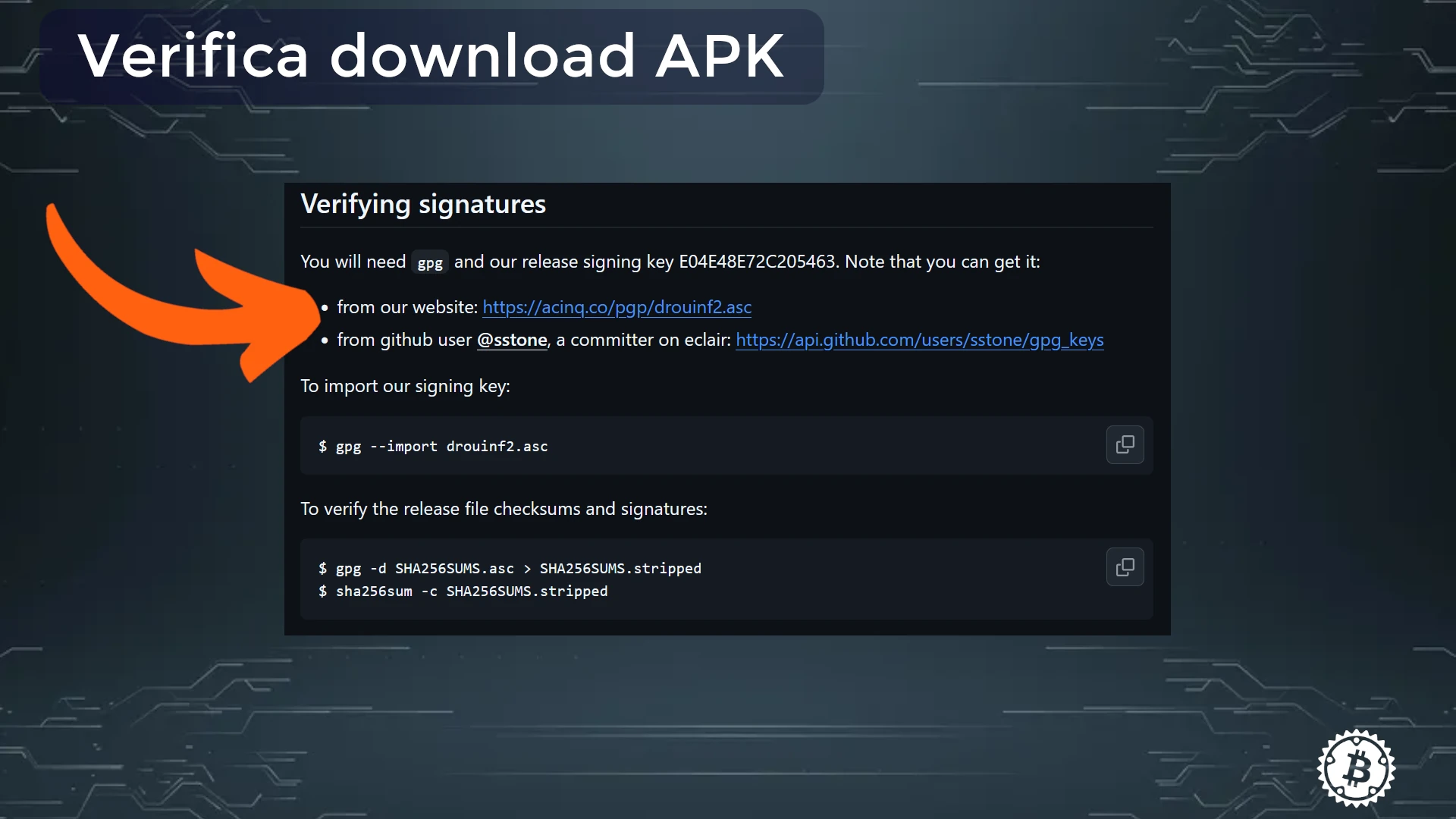
⚠️The public key must be imported, not just downloaded. ⚠️ The file downloads must occur in the same directory.
Open the terminal
With the terminal, navigate to the directory where the apk and SHA256SUMS.ASC file were downloaded and run the commands in order.
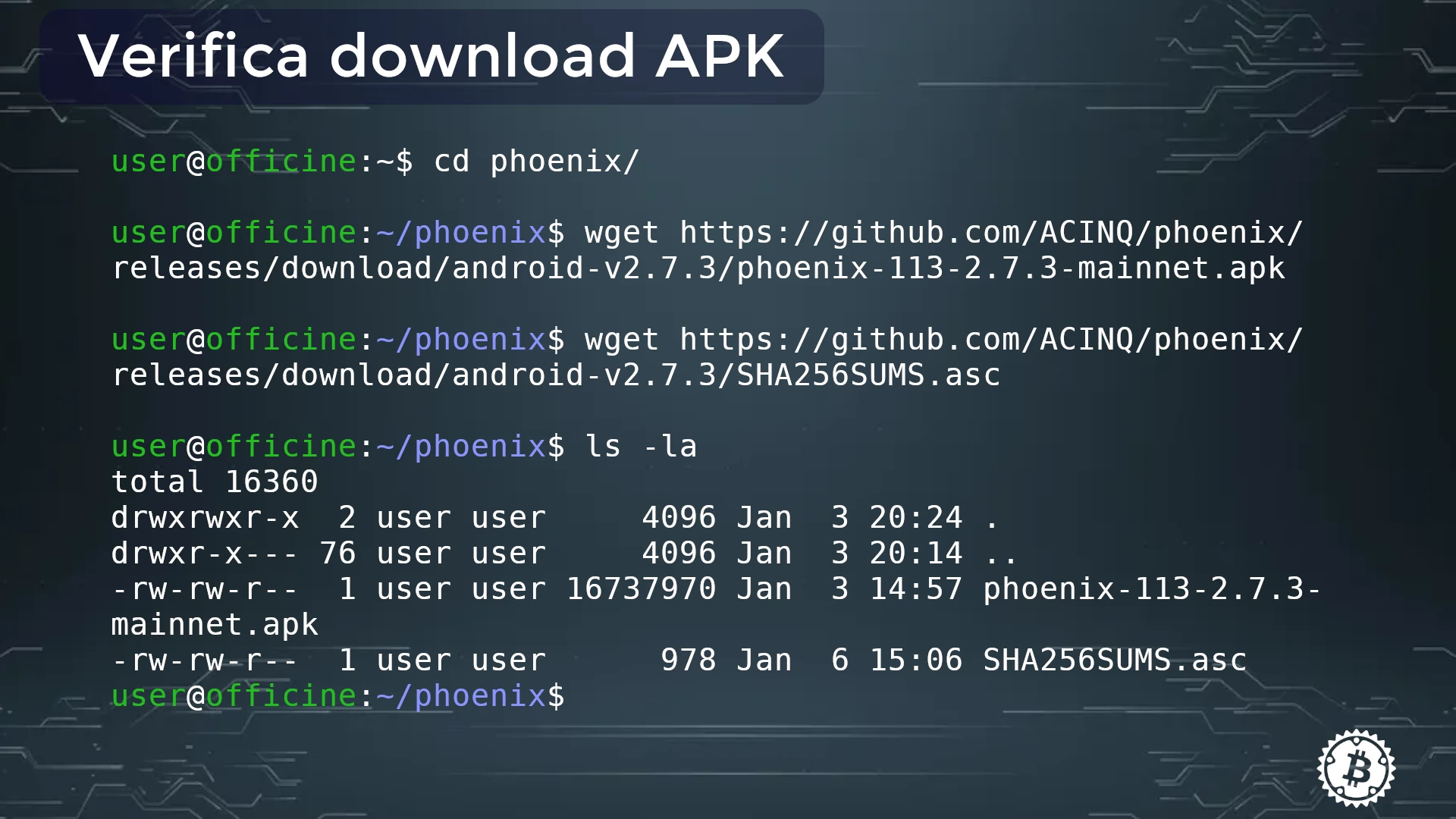
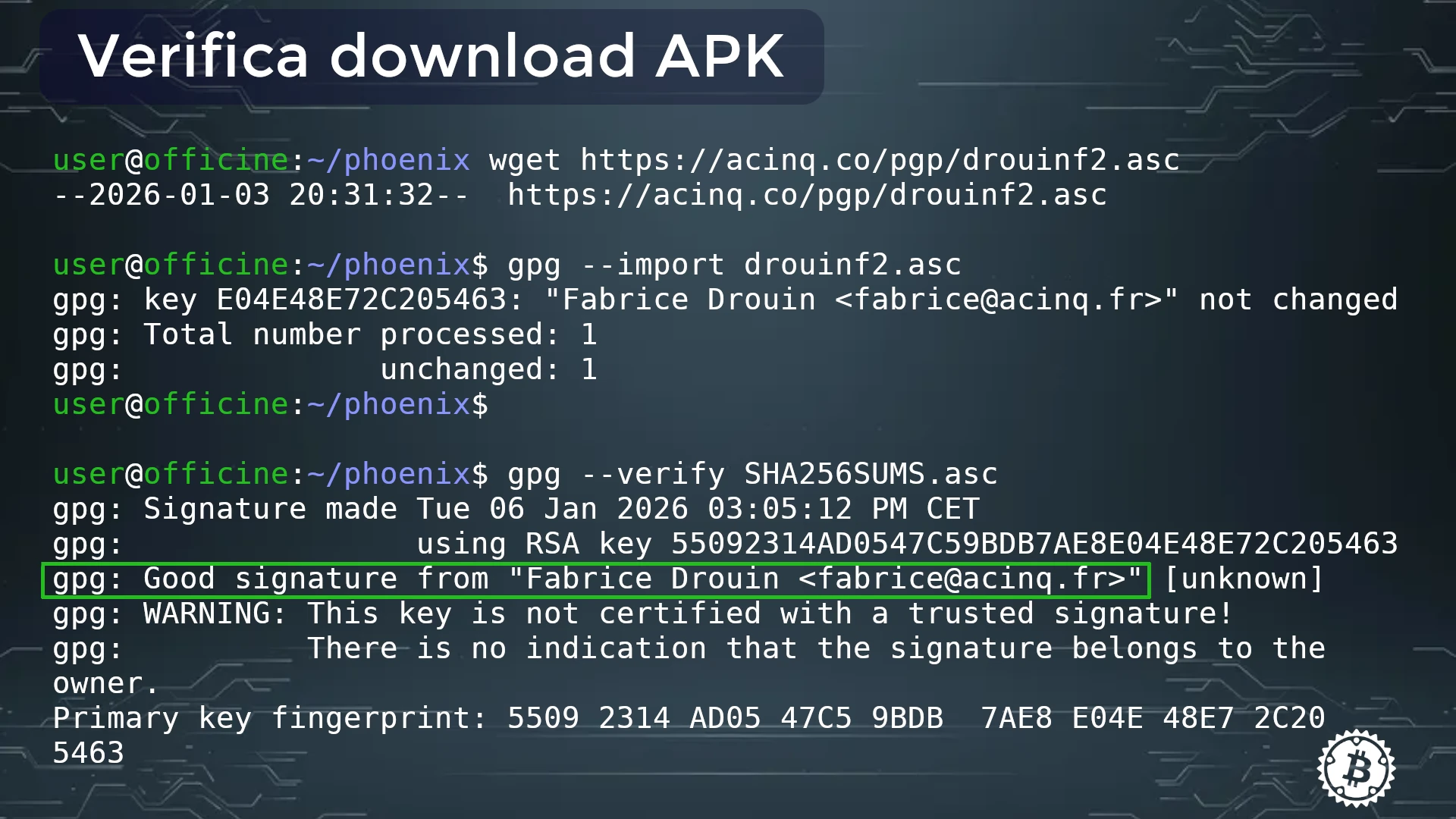
When verification returns a positive result, you can transfer the apk to your phone and install the app.
Difficult verification
There can be several reasons why signature verification is not easy, and they are almost always due to disorder or inexperience:
- the apk and/or .asc files were downloaded multiple times, so in the directory they appear with—for example—strange names like filename-1 or filename(1)
- apk and .asc are not in the same directory
- the public key was downloaded but not imported into the gpg keyring.
Other situations can occur where—even operating correctly—verification fails. It’s important to check the error that appears in the terminal, copy it, and start a search on the internet for the solution.
Verification with Sparrow Wallet
If you already use Sparrow Wallet, you can proceed to verify downloads with this software, whose download and installation must be preceded by careful and rigorous verification with GPG.
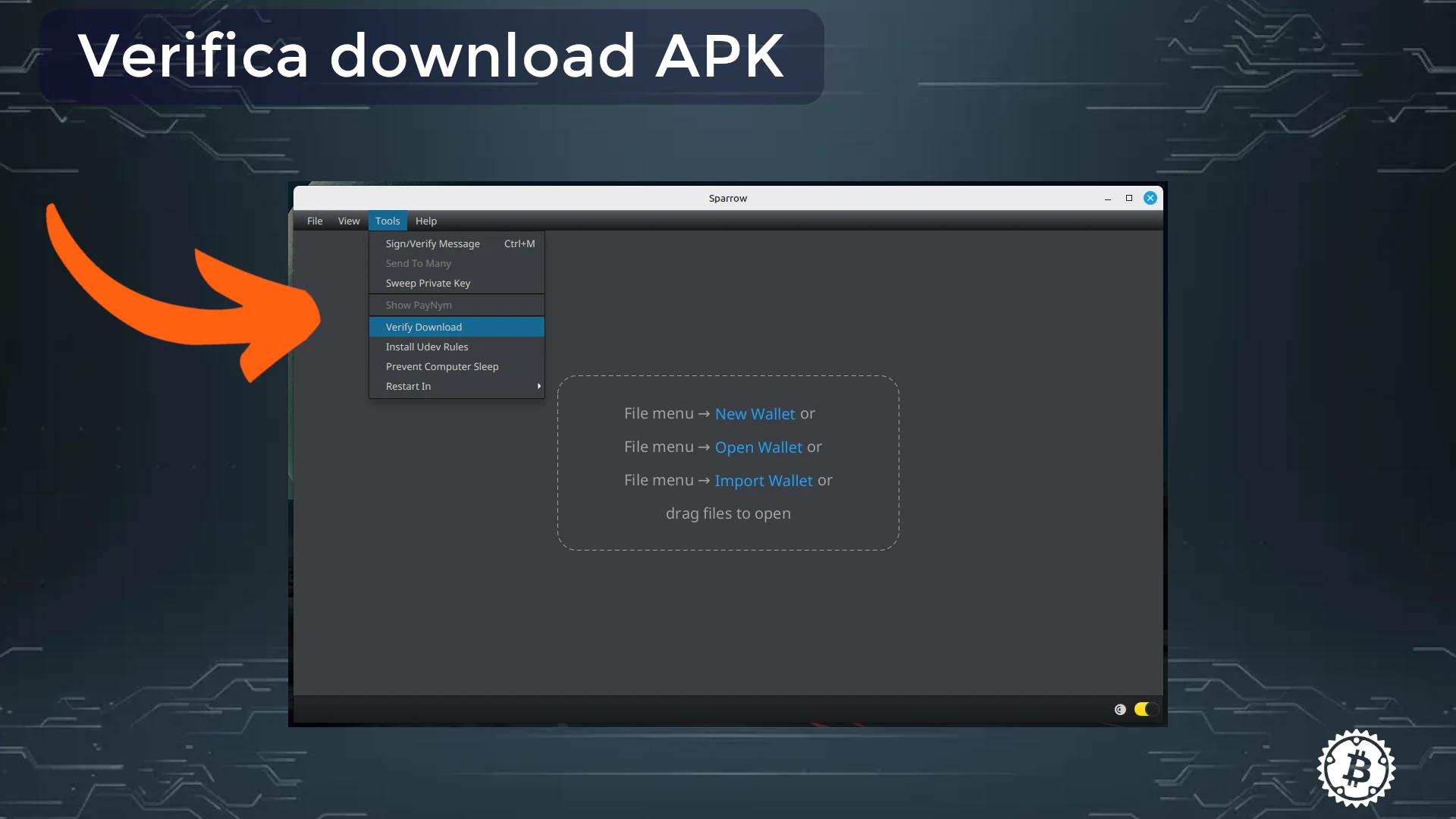
Launch Sparrow wallet and look in the Tools menu -> Verify Downloads.
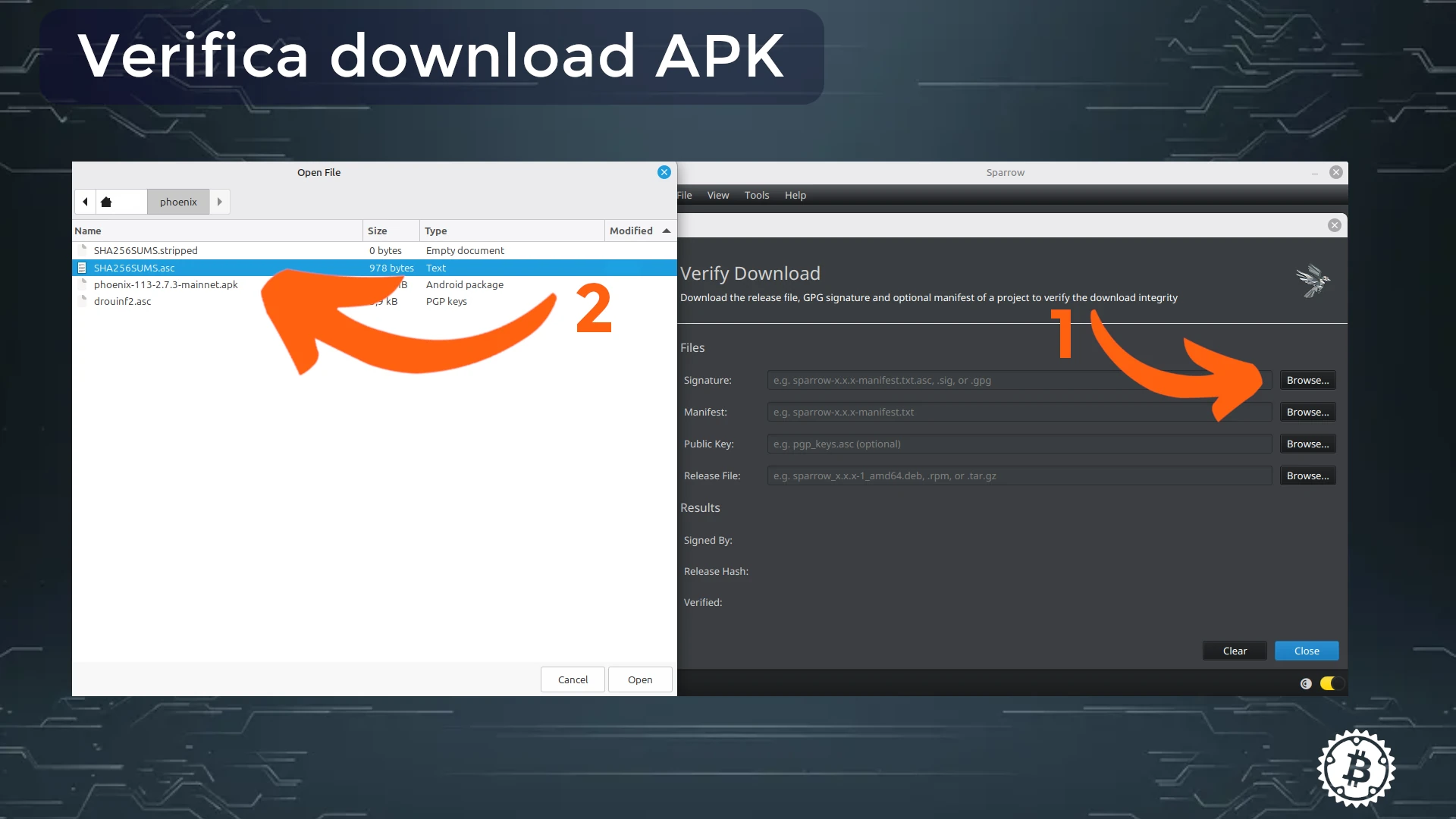
An interface opens asking you to insert the freshly downloaded files. Clicking on Browse opens the file manager to load each file into the required field.
Sometimes the interface form fills itself out. If it doesn’t, fill all fields with the appropriate files.
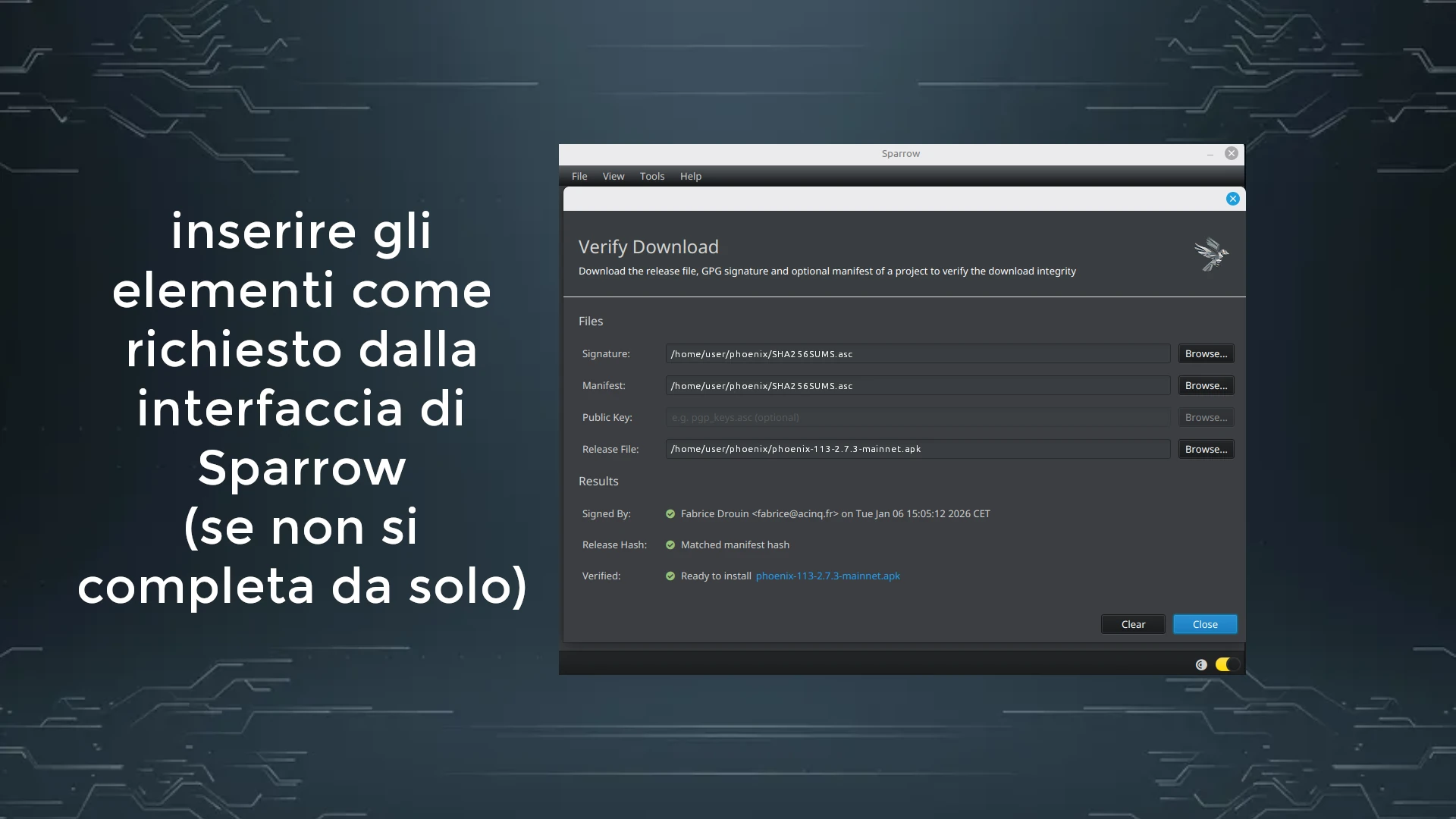
The positive outcome is shown graphically by green checkmarks and the Ready to install + < filename > confirmation.
Study support
If you attended the live presentation on Telegram, you can consider it a further step toward your personal sovereignty (not just financial). If you missed it don’t despair: these notes serve precisely to catch up, and moreover, you should know that we’ll propose it again at Officine.
To not miss the next presentation, join the Telegram group to stay constantly updated.
You can also find the Satoshi Spritz nearest to you. A Satoshi Spritz is a local meetup where only Bitcoin is discussed, where you can bring your questions and get answers from other expert bitcoiners. At the link you’ll find the map of the peninsula.
Finally, if you don’t find a meetup near you, you can take advantage of the weekly live streams of SatoshiSpritz Connect, a virtual meetup created for those who cannot attend Satoshi Spritz, or to help smaller meetups take notes and find inspiration for their own presentations.