Officine Bitcoin Bitcoin-only lesson This project is maintained by valerio-vaccaro
🌍 Traduzioni
🇨🇳 中文 🇬🇧 English 🇪🇸 Español 🇵🇹 Português 🇷🇺 Русский 🇫🇷 Français 🇩🇪 Deutsch 🇮🇹 Italiano 🇭🇺 Magyar 🏳️ Milanés 🏳️ Veneto
Lightning Network non-custodial
Phoenix by Acinq is a native Lightning Network wallet, non-custodial, offering an efficient BIP39-standard wallet, well connected and leaving full control to users.
You’ll soon discover that Phoenix opens an LN channel, whose balance you are 100% responsible for. To work well with Phoenix, only minimal attention and basic knowledge of the Lightning Network are needed. You’ll learn for example to keep your channel liquidity under control, to keep it balanced according to your needs, and to make sure Acinq sees you online, to keep it open and maintain the LN infrastructure.
Basic operations
After downloading and verifying the Phoenix apk, you can install the app on your phone.
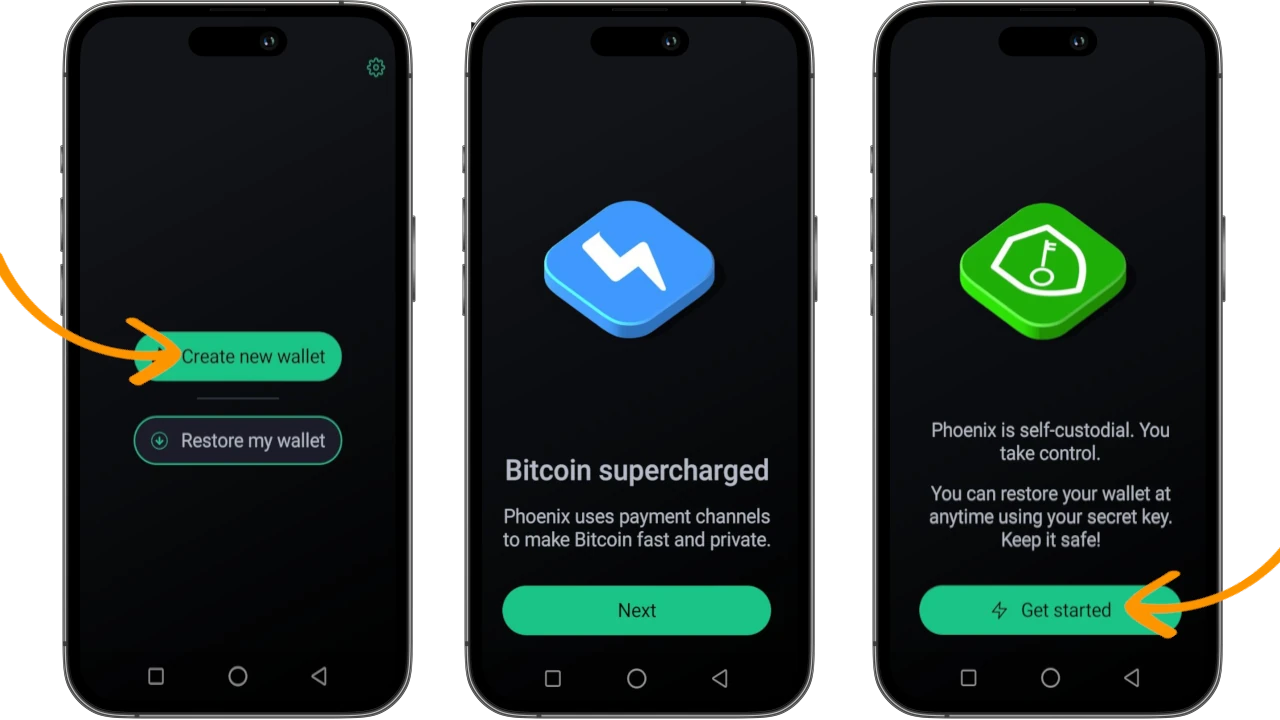
Phoenix opens asking you whether you want to create a new wallet or restore a previous one. If this is your first experience with Phoenix, choose Create new wallet. A series of welcome screens will follow, concluding where you’ll press Get started.
Backup
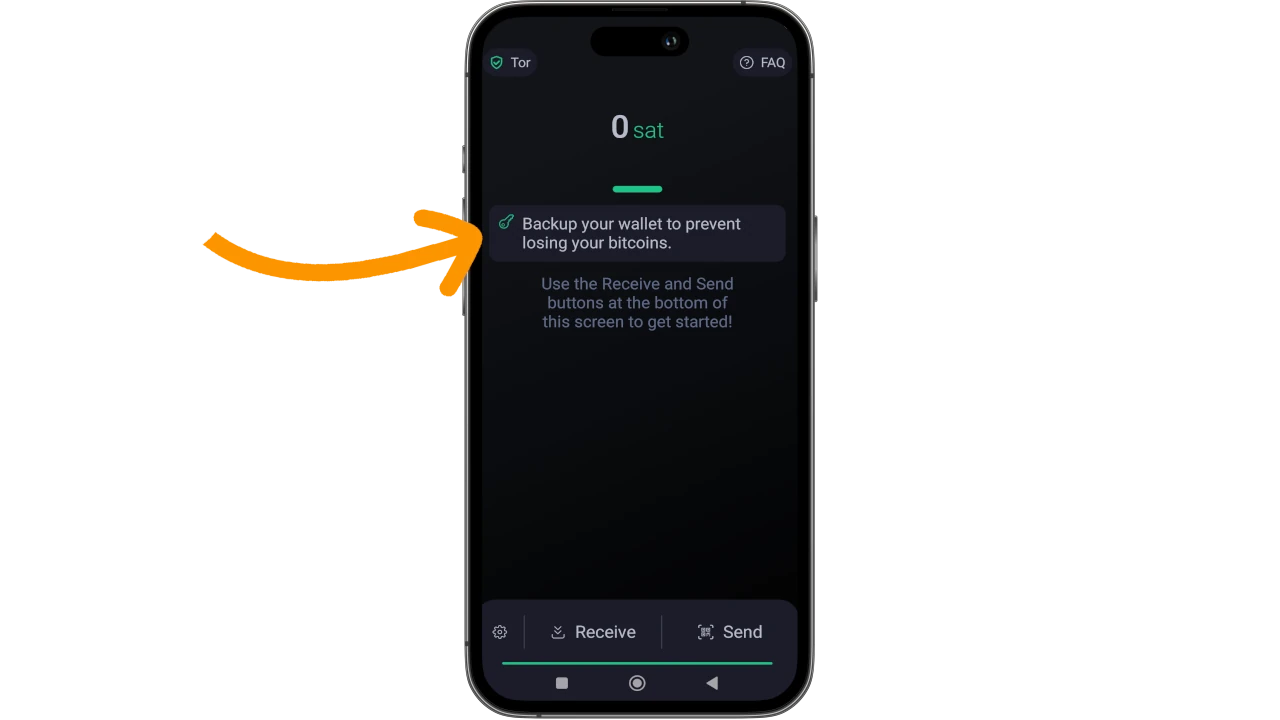
Once Phoenix is open, the first operation to do is - as always - backing up the wallet.
Phoenix adopts the BIP39 standard, derivation path m/84’/0’/0’, providing a sequence of 12 words to transcribe on paper and store in a safe place.
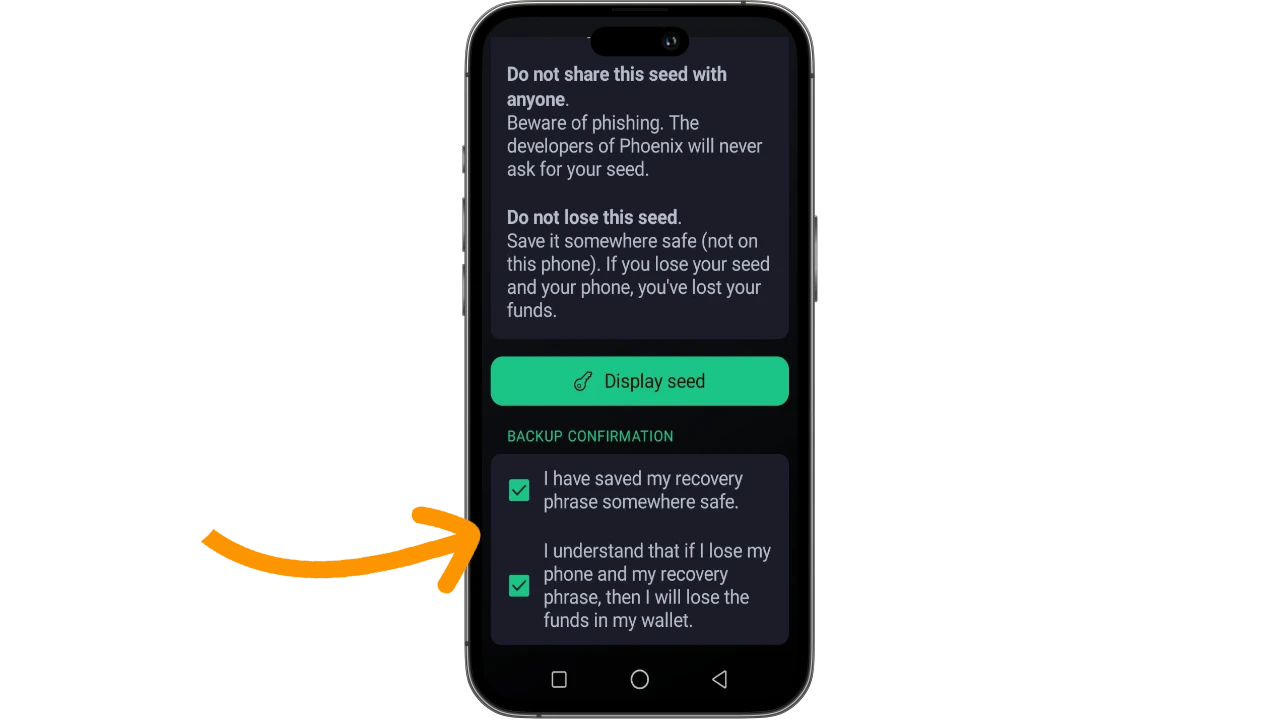
Enter the menus and ask Phoenix to show you the Recovery phrase, by clicking Display seed.
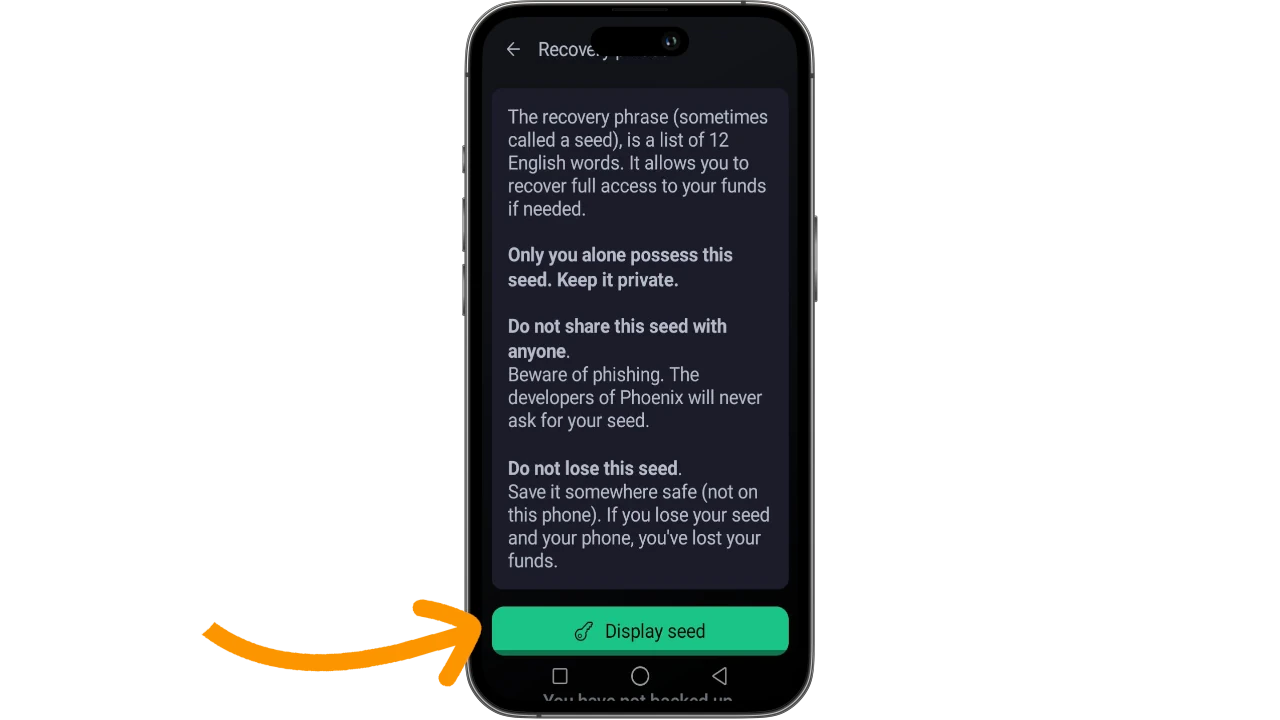
When done, remember to scroll the screen all the way down to confirm you’ve performed the backup and no longer see the notification and alert.
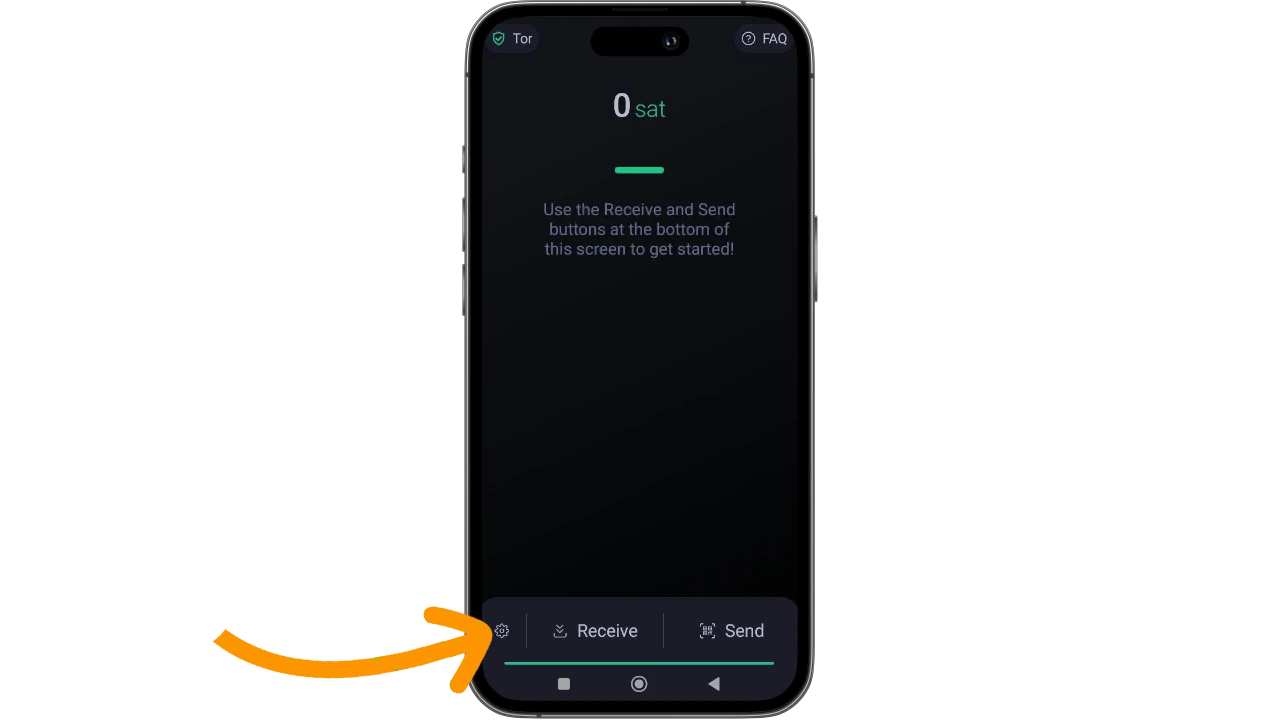
Phoenix is essentially ready to be used. Your new wallet has a zero balance and can be configured. In the bottom left you’ll find the command to enter the settings again and configure useful options for daily use.
Using with Tor
For several Phoenix versions now, Acinq has disabled the built-in Tor engine. If you want to use Phoenix with Tor protection, two steps are required:
- enable Tor in Phoenix settings
- use a third-party app to route the wallet traffic through the onion network.
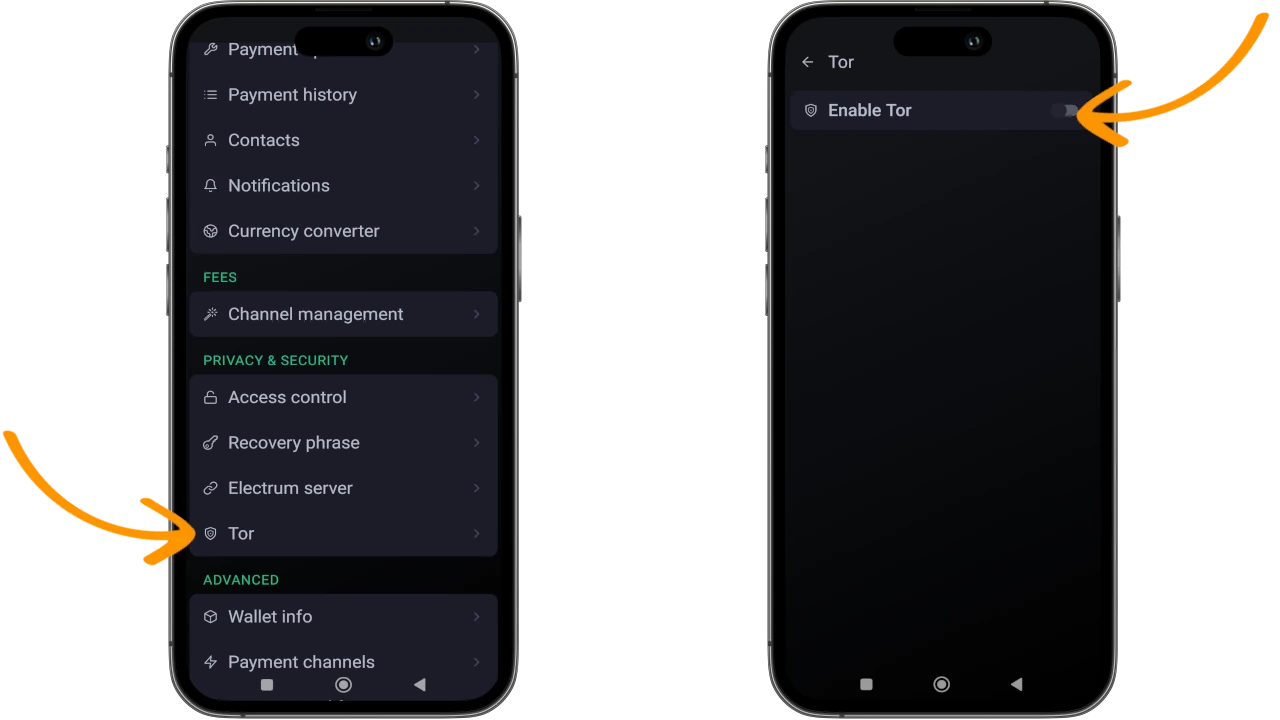
Access the settings and choose Tor, then enable Enable Tor, and finally route the traffic through the app you usually use (Orbot, Invizible Pro, etc.). Without one of these third-party apps, but with Tor enabled in Phoenix settings, the wallet won’t be able to connect to the internet.
Other settings
You can change and/or set a number of functions:
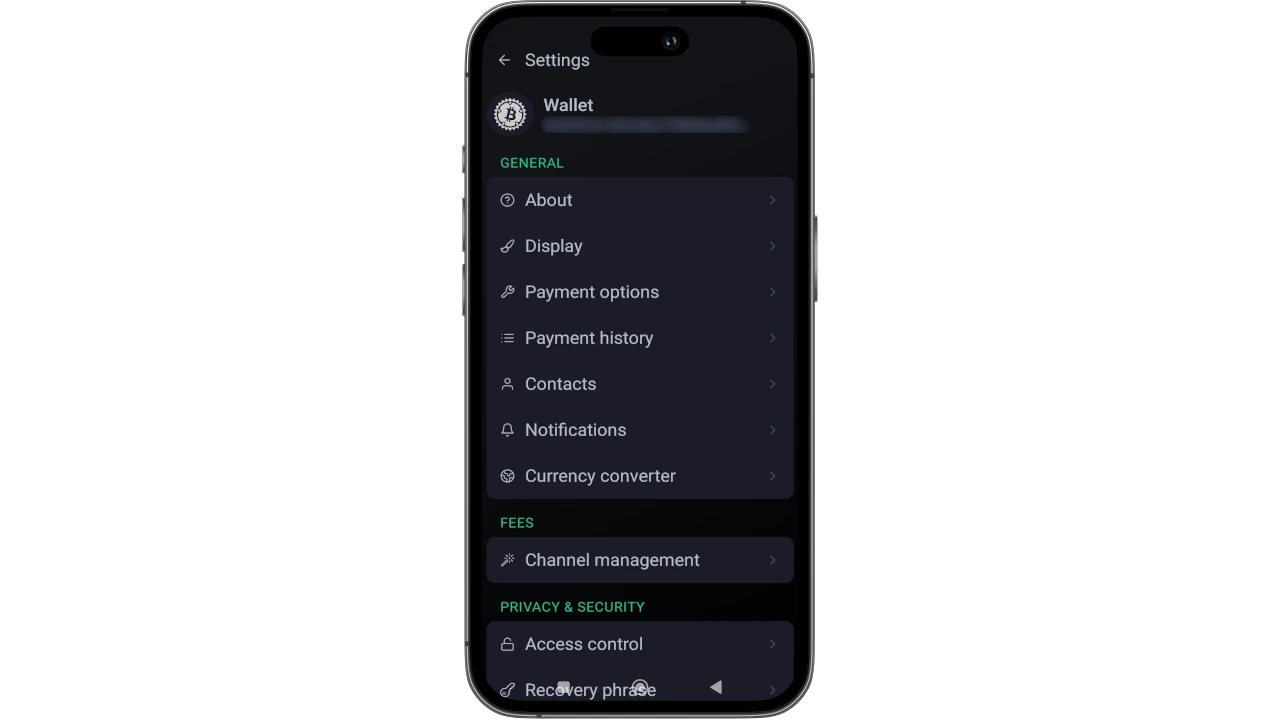
- the wallet name, by clicking on the word
Walletat the top; - the reference currency from the
Displaysubmenu. - set fees in
Channel management, an important setting because too low a fee value could compromise channel opening: by default it’s set to 5,000 sats, raise it to 15,000, Phoenix will use the appropriate value at the time anyway; - you should set all the security precautions you feel you can manage, in the
Access controlsubmenu: PIN to spend, PIN or biometric control for app access; - set your own
Electrum serverin the menu named as such, noting that Phoenix requires a valid SSL certificate (Let’s Encrypt, for example); - enable
Experimental featuresto request a reusable Bolt12 LN address - manage any channel closures or creation/deletion of multiple wallets.
Opening LN channel ⚡️
From the Phoenix main screen, choose the Receive command
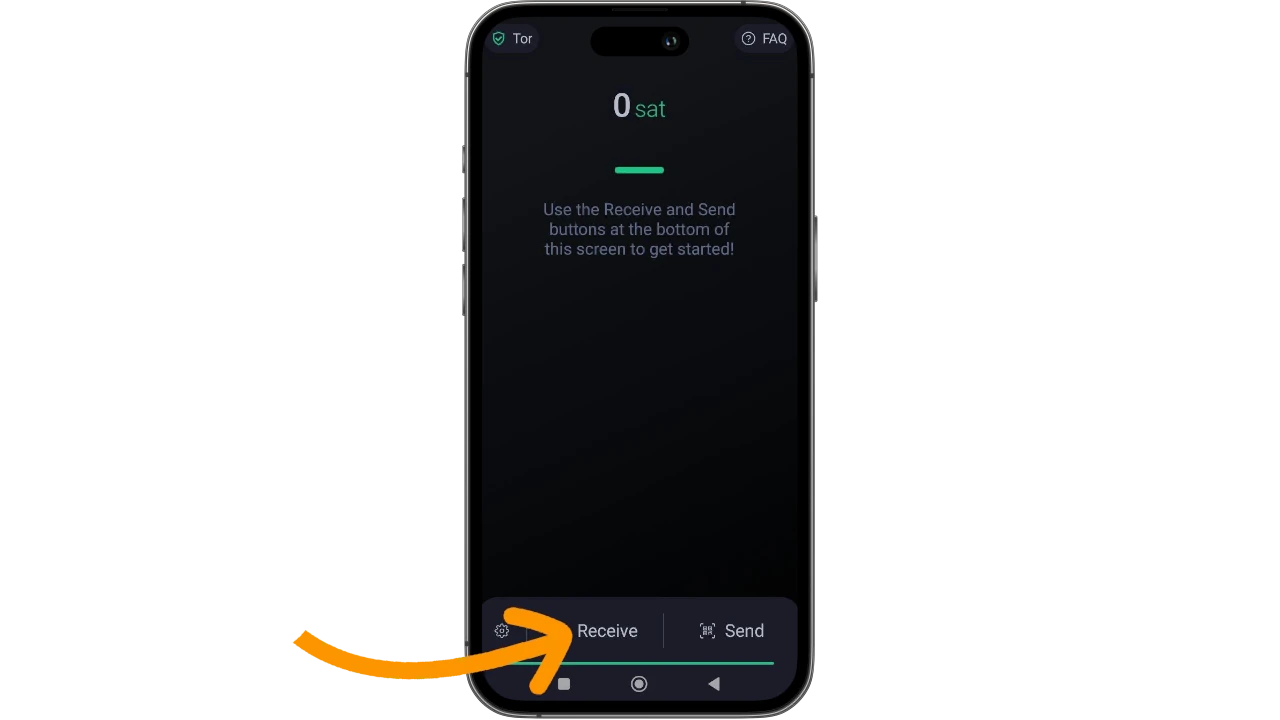
The wallet offers you two receiving modes, both with QR code: Lightning and Onchain.
Paying a Lightning invoice
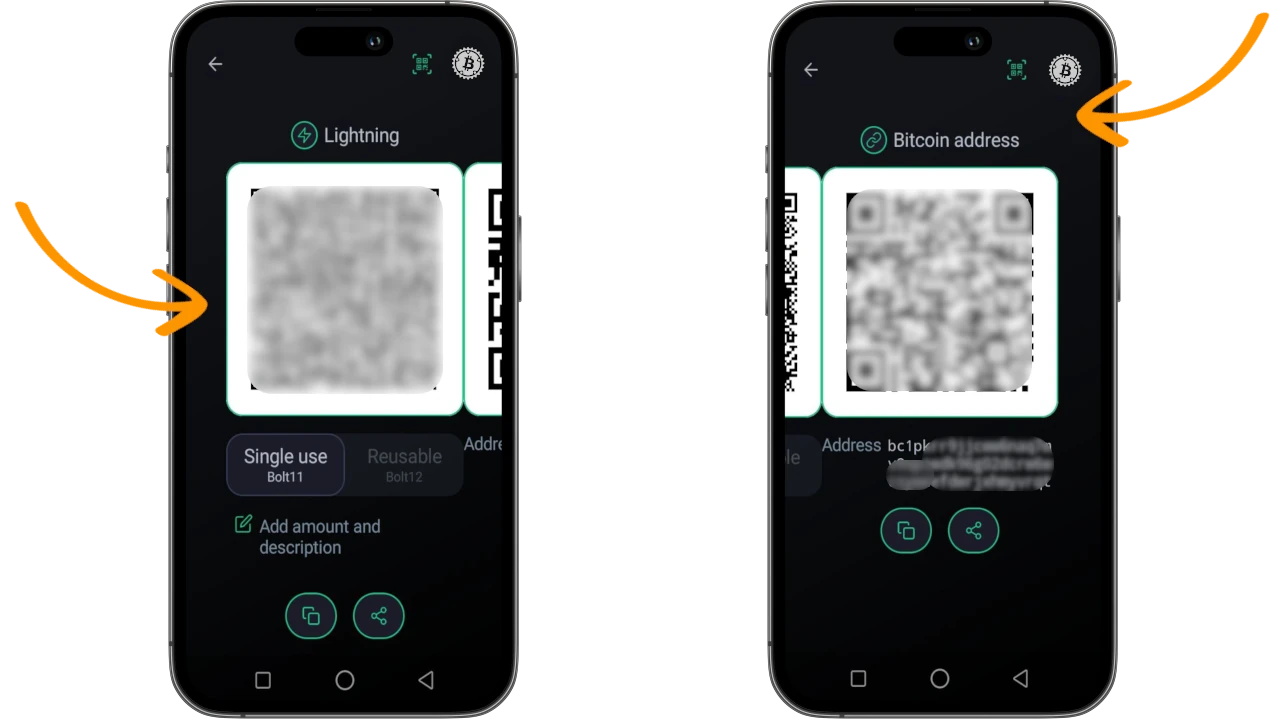
A fast way to open your LN channel is to create an invoice with Phoenix and pay it with another LN wallet.
The first incoming payment determines the opening of a channel, whose liquidity is defined by the amount of the invoice you just created (excluding fees for the onchain channel opening transaction).
Funds might be immediately available, despite a temporary waiting notice for onchain confirmations being displayed. Or you might have to wait to use them.
Onchain transaction
Opening an LN channel is always an onchain transaction, 2-of-2 multisig: you and the counterparty (Acinq) are establishing the conditions, with your funds.
If you don’t have the option to pay or receive a Lightning invoice, but you have onchain funds, you can use the onchain address that Phoenix displays for you.
After the transaction, Phoenix looks like this:
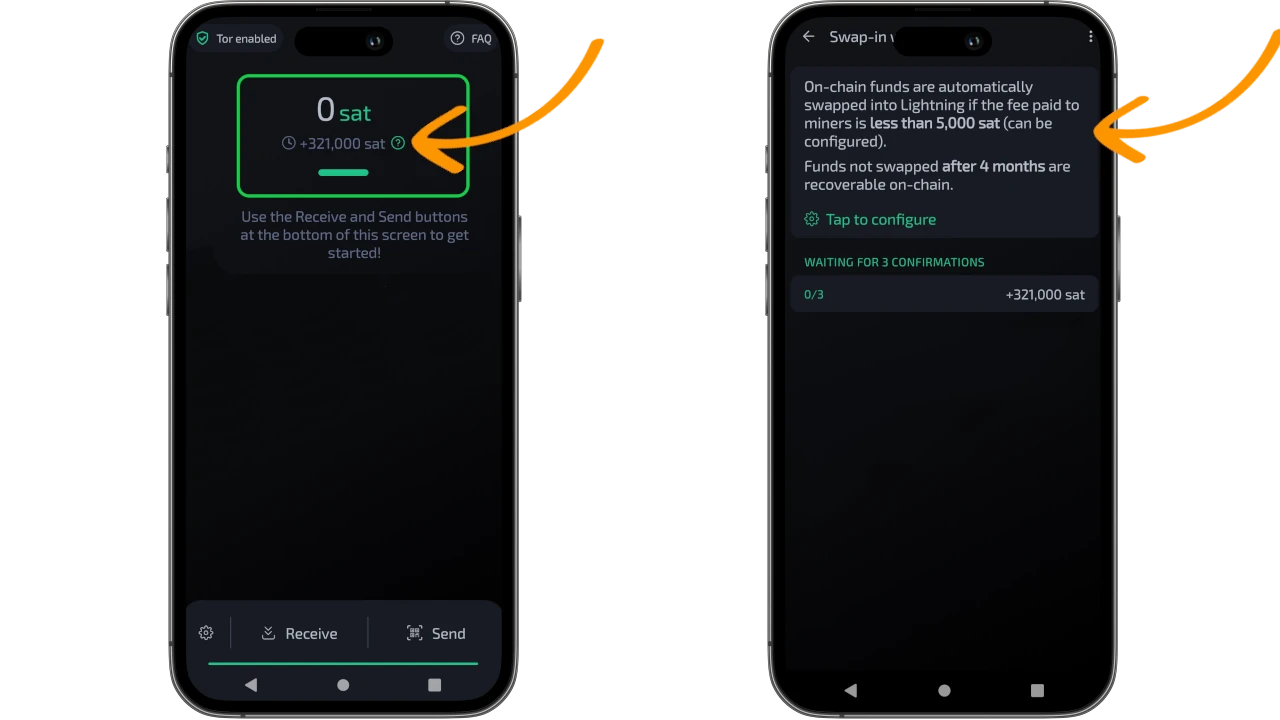
The app warns you that you need to wait for 3 blockchain confirmations before you can use the funds.
Managing channel liquidity
As soon as you receive the 3 confirmations, your LN wallet is ready to be used.
Initially it has all liquidity outgoing and you can only spend; you can see this in Settings -> Advanced -> Payment Channels
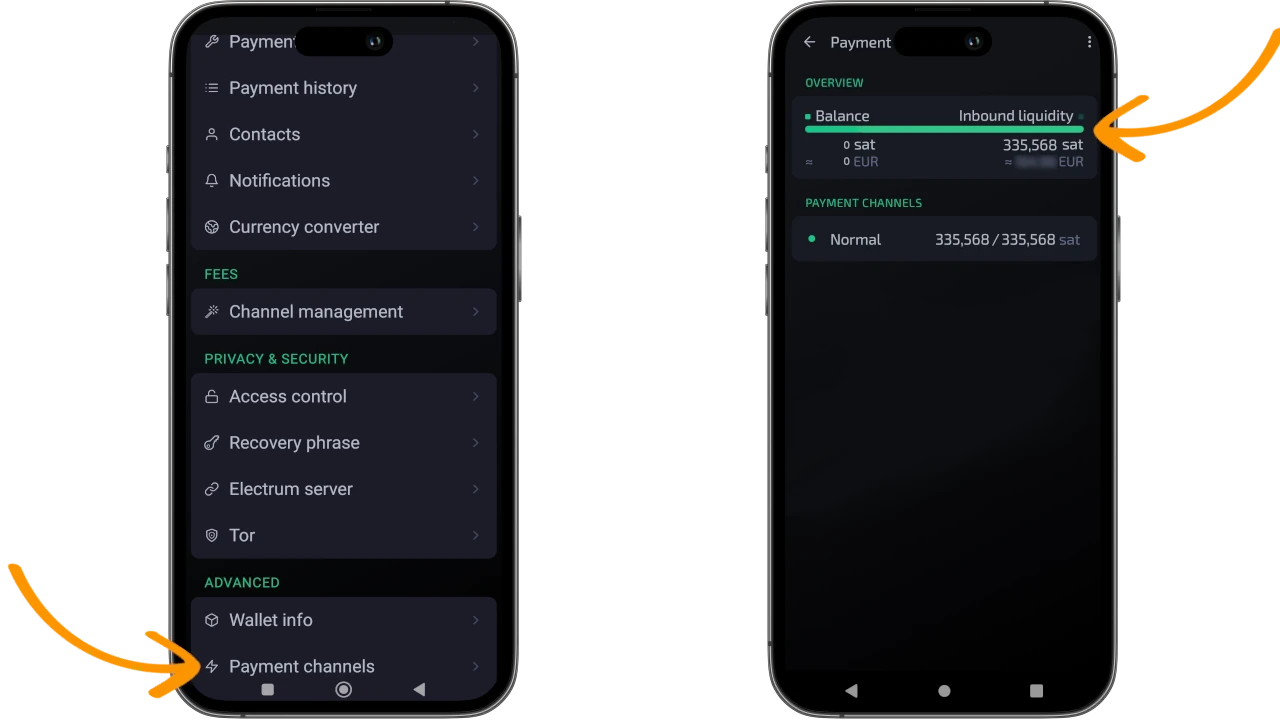
You can create incoming liquidity by paying one or more Lightning Network invoices.
Using the wallet
Using Phoenix wallet is a pleasant and very simple experience.
The only things to keep in mind are:
- the channel you just created is a smart contract between you and Acinq, funded with your funds;
- the heavy work of backing up channel states and its infrastructure maintenance is handled by Acinq, which will charge you a few extra sat in fees for the payment operations you perform;
- access your wallet regularly, opening it and doing operations from time to time because, if the counterparty notices your absence and considers you a “zombie”, it might decide to close the channel. Acinq closes channels to avoid spending resources and time maintaining backups and dormant channels;
- you can also decide to close this channel, should you no longer need to use it.
- in case of channel closure, the
cooperative closureprocedure is the best, because it avoids many issues.
Splicing
A special mention goes to the Splicing technique, implemented by Acinq and allowing you to increase or reduce the total channel capacity.
Splicing is interesting: if you have a channel with capacity tot, you can expand or reduce it. It might seem that these operations depend on each person’s needs, but it’s not that simple.
You must always keep in mind that Phoenix is a Lightning Network wallet and, even though it has support for Bitcoin’s Layer1, it should be used for small payments on Layer2.
Every onchain operation, in fact, will be interpreted by Acinq as a reason to modify the channel capacity:
- receiving an amount of
xsatson Phoenix from an onchain wallet: Acinq expands the channel, bringing capacity fromtottotot + xsats - paying an amount of
ysatsfrom Phoenix to an onchain address: Acinq reduces the channel, bringing capacity fromtottotot - ysats.
Splicing is an onchain transaction (2-of-2 multisig) that incurs fees. Although lower than channel opening/closing, doing these operations carelessly or at the wrong time could result in unnecessarily high costs.
To move from LN to Onchain and vice versa, try to use appropriate swap tools and don’t use Phoenix Wallet for this.
Recovering funds
Last, but most important of all, here’s where the importance of having non-custodial tools comes into play.
If and when the channel is closed, you can recover your onchain funds by importing the 12 backup words into a wallet that supports the BIP39 standard.
Electrum wallet, among others, is an option that makes this operation simple and intuitive.
If the wallet is instead custodial and you don’t own the keys, you might encounter problems, ranging from difficulties interacting with an impersonal customer service, submitting to heavy kyc to get them back, all the way to the impossibility of recovering your funds (whatever the total amount).
Is it worth it?
Study support
If you attended the live presentation on Telegram, you can consider it a further step toward your personal sovereignty (not just financial). If you missed it don’t despair: these notes serve precisely to catch up, and moreover, you should know that we’ll propose it again at Officine.
To not miss the next presentation, join the Telegram group to stay constantly updated.

You can also find the Satoshi Spritz nearest to you. A Satoshi Spritz is a local meetup where only Bitcoin is discussed, where you can bring your questions and get answers from other expert bitcoiners. At the link you’ll find the map of the peninsula.
Finally, if you don’t find a meetup near you, you can take advantage of the weekly live streams of SatoshiSpritz Connect, a virtual meetup created for those who cannot attend Satoshi Spritz, or to help smaller meetups take notes and find inspiration for their own presentations.